
Last Updated on July 8, 2026 by Jennifer Hanson
We often hear “ICT” and assume it’s just fancy tech in classrooms. But when we talk about ICT in special education, we’re describing a broad set of tools, strategies, and design choices that genuinely change how students with disabilities access learning. In this guide we’ll define the term, show concrete classroom examples, explain evidence-based benefits for learning and access, and share practical implementation steps, assessment, staff training, and policy points you’ll want on your checklist. Our aim is to give educators and families clear, usable guidance for 2026 and beyond.
In this guide, What Is ICT In Special Education A Practical Guide For Educators And Families 2026 is explained with clear steps and tips.
Key Takeaways — What Is ICT In Special Education A Practical Guide For Educators And Families 2026
- ICT in special education includes hardware, software, network services, and accessible design tailored to students’ diverse disabilities and learning needs.
- Assistive technology tools like speech-generating devices and text-to-speech software enhance communication and literacy for students with disabilities.
- Effective ICT implementation requires thorough assessment of student goals, collaborative team involvement, and ongoing training for educators and families.
- Integrating ICT into daily instruction and curricula increases student engagement, learning outcomes, and social participation in the classroom.
- Policies must ensure equitable access, privacy compliance, and sustainable technology use to maximize long-term benefits for students with disabilities.
- ICT supports transition planning by helping students build real-world skills through digital portfolios and self-management apps.
Defining ICT In Special Education: Scope, Terms, And Who It Serves
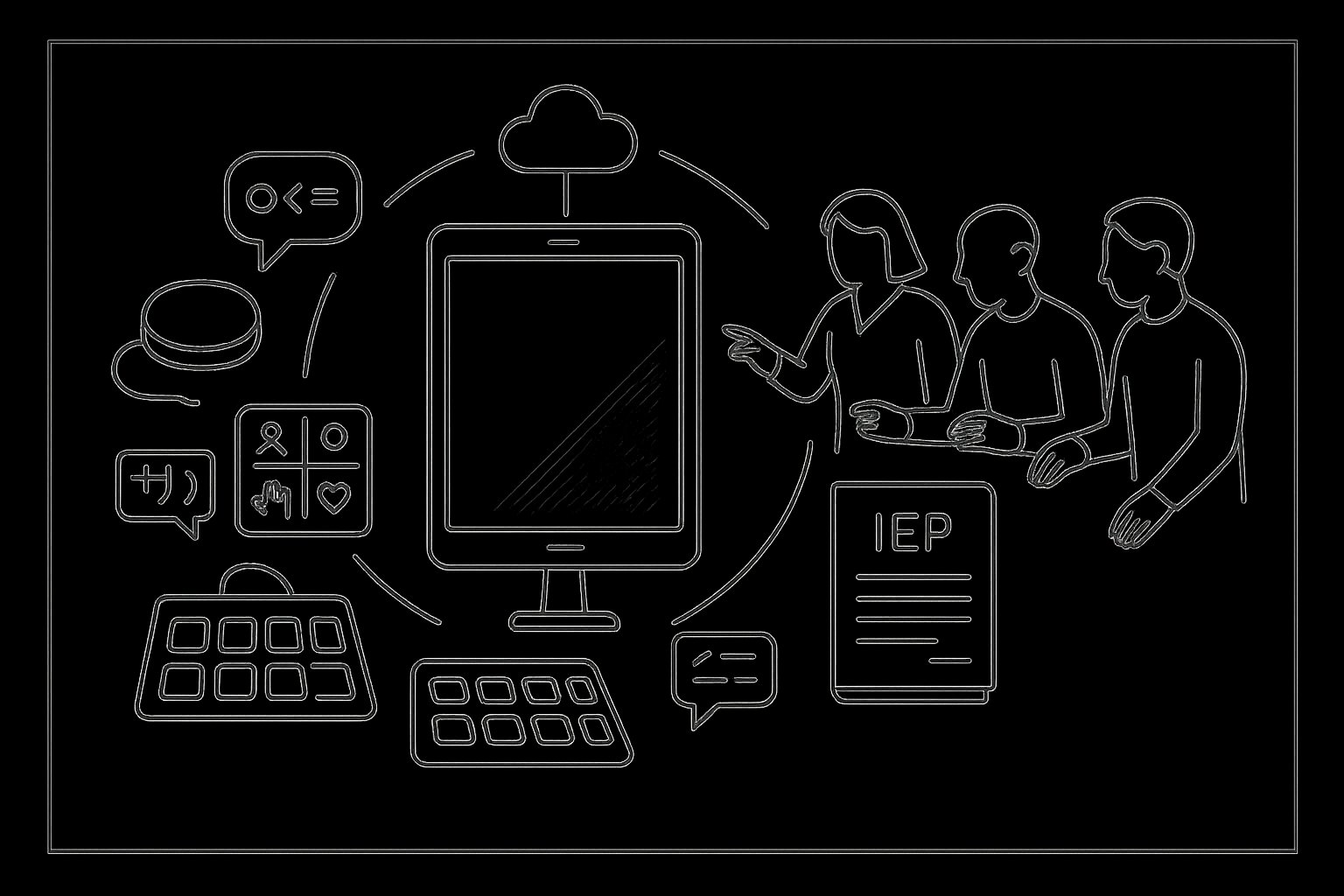
ICT stands for Information and Communication Technology. In special education, we use that label to include hardware (like switches, tablets, adaptive keyboards), software (text-to-speech, symbol-based communication systems), networked services (cloud-based IEP platforms, remote therapy), and the practices that make them accessible (universal design for learning, assistive technology assessment).
Who it serves is broad: students with sensory impairments, learning disabilities, developmental delays, communication disorders, autism spectrum conditions, physical disabilities, and complex needs. ICT isn’t a one-size-fits-all prescription. Instead, it’s an ecosystem we tailor to individual goals, reading fluency, expressive language, motor access, executive function supports, or social skills practice.
Important related terms we use regularly:
- Assistive Technology (AT): Devices or software that enable participation (e.g., switch-scanning communication devices). AT is a subset of ICT focused on compensatory supports.
- Accessible Content: Learning materials formatted so students with disabilities can perceive and interact with them (captioned video, tagged PDFs, alt text).
- Universal Design for Learning (UDL): A proactive approach to curriculum design that reduces the need for individual accommodations by offering multiple means of engagement, representation, and expression.
We must also note the role of families and multidisciplinary teams. Effective ICT decisions emerge when educators, therapists, technologists, and families collaborate, combining classroom context, clinical insight, and the student’s lived experience.
Key ICT Tools And Real-World Examples Used In Classrooms
Here are common ICT categories and how they look in everyday practice:
- Speech-generating devices (SGDs) and communication apps: For students who are nonverbal or have limited speech, SGDs like high-quality, customizable apps on tablets or dedicated devices let students initiate requests, participate in discussions, and build language. In one middle school we observed, a student used a core-word SGD to lead a science presentation, the device became the student’s voice, not a barrier.
- Text-to-speech and speech-to-text: Tools such as built-in screen readers or cloud services help students with dyslexia or visual impairments access textbooks and compose writing. Teachers often pair these with literacy scaffolds like audiobooks and annotated digital texts.
- Switches and alternative input devices: For students with motor impairments, single-switch access, eye-gaze systems, or head pointers can control computers, communication apps, or environmental controls. A high school student using eye-gaze technology recently completed digital art projects and coded basic animations, activities previously out of reach.
- Interactive whiteboards and adaptive apps: These let teachers present multisensory lessons: adaptive math apps let students manipulate virtual manipulatives, while teachers can quickly change levels without exposing students to embarrassment.
- Remote learning platforms and teletherapy tools: Since 2020, remote platforms became more robust. Telepractice allows speech and occupational therapists to coach caregivers in real time, often using shared screens and annotated videos to guide interventions at home.
- Classroom management and IEP software: Digital IEP platforms streamline documentation, track goals, and help data-driven decision-making. When parents and teams can access progress notes securely, meetings become more productive.
All these tools succeed when chosen for purpose and integrated into everyday routines, not used as occasional add-ons.
How ICT Improves Learning Outcomes And Access For Students With Disabilities
ICT improves outcomes in two complementary ways: by removing barriers to access and by amplifying learning opportunities.
First, access. When materials are accessible, students can perceive, understand, and demonstrate knowledge in ways that suit their strengths. For example, captioned videos support not just students who are deaf or hard of hearing but also English learners and students with auditory processing differences. Eye-gaze and switch technology create pathways for participation for students with severe motor impairments, turning passive observers into active contributors.
Second, instruction. ICT lets us personalize pacing, complexity, and feedback. Adaptive learning platforms offer targeted scaffolds and immediate feedback on math or reading fluency: speech-recognition tools let students produce written work without fine-motor constraints. Research consistently shows that targeted assistive technology paired with instruction increases on-task behavior, engagement, and measurable skill growth, especially when teachers use data from the tools to guide instruction.
We also see social and emotional benefits. When students can communicate reliably, they participate more in peer interactions, advocacy, and classroom community. That social participation is a key predictor of long-term outcomes, including post-secondary employment and independence.
Finally, ICT supports transition planning. Digital portfolios, self-management apps, and job-matching platforms help older students build real-world skills and document competencies for employers or post-secondary programs.
Best Practices For Implementing ICT: Assessment, Training, And Policy Considerations
Thoughtful implementation is the difference between a useful tool and wasted expense. We recommend a three-part approach: assessment, training, and policy.
Assessment
- Start with functional goals, not devices. Conduct task-based assessments: what is the student trying to do and what barriers exist? Use trial periods with loaner devices and collect objective data on success rates and independence.
- Involve families and related-service providers. Parents often know which strategies translate to home: therapists can advise on motor access or sensory supports.
Training and coaching
- Invest in hands-on training for teachers, paraprofessionals, and families. One short workshop isn’t enough. Ongoing coaching, peer mentoring, and just-in-time supports (quick tip sheets, short videos) increase fidelity.
- Create local “tech champions” who can troubleshoot and model classroom integration. When educators share lesson plans that incorporate ICT, adoption rises.
Integration into instruction
- Embed ICT into daily routines and curricula. For instance, make the communication app the primary way a student requests materials, not a backup. Ensure accommodations are proactive (UDL) rather than reactive.
Data and documentation
- Use digital IEP tools to track progress and device effectiveness. Documentation protects teams legally and supports evidence-based decisions during reviews or disputes.
Policy and equity
- Ensure equitable access: budget for maintenance, replacements, and licenses. Public schools must consider equity when devices are required for participation.
- Address privacy and security: choose platforms that comply with FERPA and relevant state privacy laws. Obtain informed consent for data-sharing, especially with third-party apps.
Procurement and sustainability
- Prefer interoperable, standards-based tools (e.g., content that supports EPUB, accessible PDFs, or LTI integrations) to avoid lock-in. Plan for replacement cycles and training refreshers.
When these practices align, ICT becomes a sustainable, student-centered part of education rather than a short-lived experiment.
Conclusion
ICT in special education is neither a buzzword nor a single product, it’s a strategy for inclusive, personalized learning. By defining needs, choosing evidence-based tools, investing in meaningful training, and building policies that prioritize access and privacy, we can make classrooms more equitable and effective. As educators and families, our responsibility is to ensure technology serves students’ goals, not the other way around.
Frequently Asked Questions About ICT in Special Education
What is ICT in special education?
ICT in special education refers to Information and Communication Technology tools and strategies that help students with disabilities access learning. This includes hardware, software, network services, and accessible practices tailored to individual learning needs.
How does ICT improve learning outcomes for students with disabilities?
ICT removes barriers and amplifies learning by providing accessible materials, personalized instruction, and adaptive tools. It enhances engagement, skill growth, and social participation, supporting independence and successful transitions.
What are some common ICT tools used in special education classrooms?
Common tools include speech-generating devices, text-to-speech software, alternative input devices like switches and eye-gaze systems, adaptive apps, interactive whiteboards, remote learning platforms, and digital IEP management software.
How should schools implement ICT effectively for special education?
Effective implementation involves assessing student goals, involving families and providers, providing ongoing training, embedding ICT in daily routines, using data to guide decisions, and developing equitable policies for access and privacy.
What is the role of Universal Design for Learning (UDL) in ICT for special education?
UDL is a curriculum design approach that reduces accommodation needs by offering multiple ways for students to engage, represent learning, and express knowledge, making ICT more effective and accessible for diverse learners.
Why is family and multidisciplinary team collaboration important in ICT use?
Collaboration ensures ICT choices reflect classroom context, clinical insights, and student experiences, leading to better tailored and more successful technology solutions that support each student’s unique needs.